blogue
Pesquisar um artigo
BlackShark Dominates the CPU-ISIMM CYBERBOT_V4 Competition!
H-KING Turbo BushMaster V2 1830mm: 10 Things to Know Before You Buy
Battery
General News
LiPo Charging Error Codes Explained: What to Check First
Battery
General News
LiPo Charging Error Codes Explained: What to Check First
Comprehensive Analysis of LiPo Charging Error Codes: Spektrum Smart Battery Error Codes and HobbyKing Charger Troubleshooting Guide
LiPo charger errors are frustrating partly because many of them sound vague. “Cell Error.” “Connection Break.” “Battery Type Wrong.” The charger tells you something is wrong, but not always whether the problem is a setting, a damaged balance lead, a weak input source, or a pack you should stop charging altogether. This guide keeps the broad error-code coverage users search for, but also adds a faster first-check path so you can decide what to inspect before you just hit Start again.
Table of Contents
- Quick check: what to look at first
- Fast triage table
- The importance of LiPo battery charging safety
- Common LiPo charging error codes and their meanings
- Common errors and troubleshooting strategies for Spektrum Smart batteries
- Troubleshooting tips for HobbyKing chargers
- Safety charging recommendations and battery-life tips
- Still having trouble? Start here
- FAQ
Quick Check: What to Look at First
| If your charger shows… | It usually points to… | Check this first |
|---|---|---|
| Connection Break / No Battery / connection fault | Main lead, adapter, or balance-plug contact problem | Main connector, charge lead, adapter, and balance plug seating |
| Cell Error / Balance Error / Cell Mismatch | Wrong cell read, bad balance lead, or one cell far out of line | Per-cell voltage screen and balance plug alignment |
| Battery Type Wrong / chemistry mismatch | Wrong battery chemistry or charge mode selected | LiPo vs LiHV vs Li-ion vs LiFe setting |
| Low Voltage / Cell Low Voltage | Pack may be over-discharged or one cell is too low | Total pack voltage and per-cell voltage before retrying |
| Stops early / capacity limit / safety timer / overheat | Charger-side limit, cooling, or power issue | Current setting, charger wattage, timer, airflow, and input supply |
Fast Triage Table
| Error type | Can you retry? | What should you do next? |
|---|---|---|
| Connection-related error | Usually yes | Re-seat the main lead and balance plug; inspect leads and connectors. If the balance plug is damaged, see this balance plug repair guide. |
| Cell or balance-related error | Sometimes | Check per-cell voltage before retrying. If one cell is missing, unstable, or clearly lower, stop and inspect the pack. |
| Battery type mismatch | Yes, after fixing settings | Confirm chemistry and cell count. Do not “try another chemistry” just to force the charger to start. |
| Low-voltage warning | Not blindly | Check total voltage and per-cell voltage first. A pack with one very low cell should not be forced back onto charge. |
| Stops early / safety timer / capacity limit / overheating | Often yes | Review charge current, charger wattage, timer, cooling, and input power. This is often not a battery problem. |
The Importance of LiPo Battery Charging Safety
Lithium polymer (LiPo) batteries are the stars of the show, powering our beloved drones, remote-controlled vehicles, and model aircraft with their incredible energy density and lightweight performance. One of the most thrilling challenges users face when using LiPo batteries is "charging failure." If the charger or battery displays an error code, it often indicates potential hardware malfunctions, battery damage, or safety hazards. Improper charging operations can lead to battery swelling, performance degradation, or even fire risks.
As a globally renowned RC equipment brand, HobbyKing has always emphasized the importance of proper battery management. Its ToolkitRC and Turnigy series chargers are equipped with intelligent protection features that monitor voltage, temperature, and other parameters in real time, and alert users to potential risks through error codes. Mastering the meaning and response to error codes is a critical skill every RC user must develop.
This is true whether you are using HobbyKing's standard chargers or the Spektrum Smart Battery System. By understanding these codes, you gain a better way to protect battery life, reduce false troubleshooting, and avoid turning a simple setup issue into a damaged pack or charger.
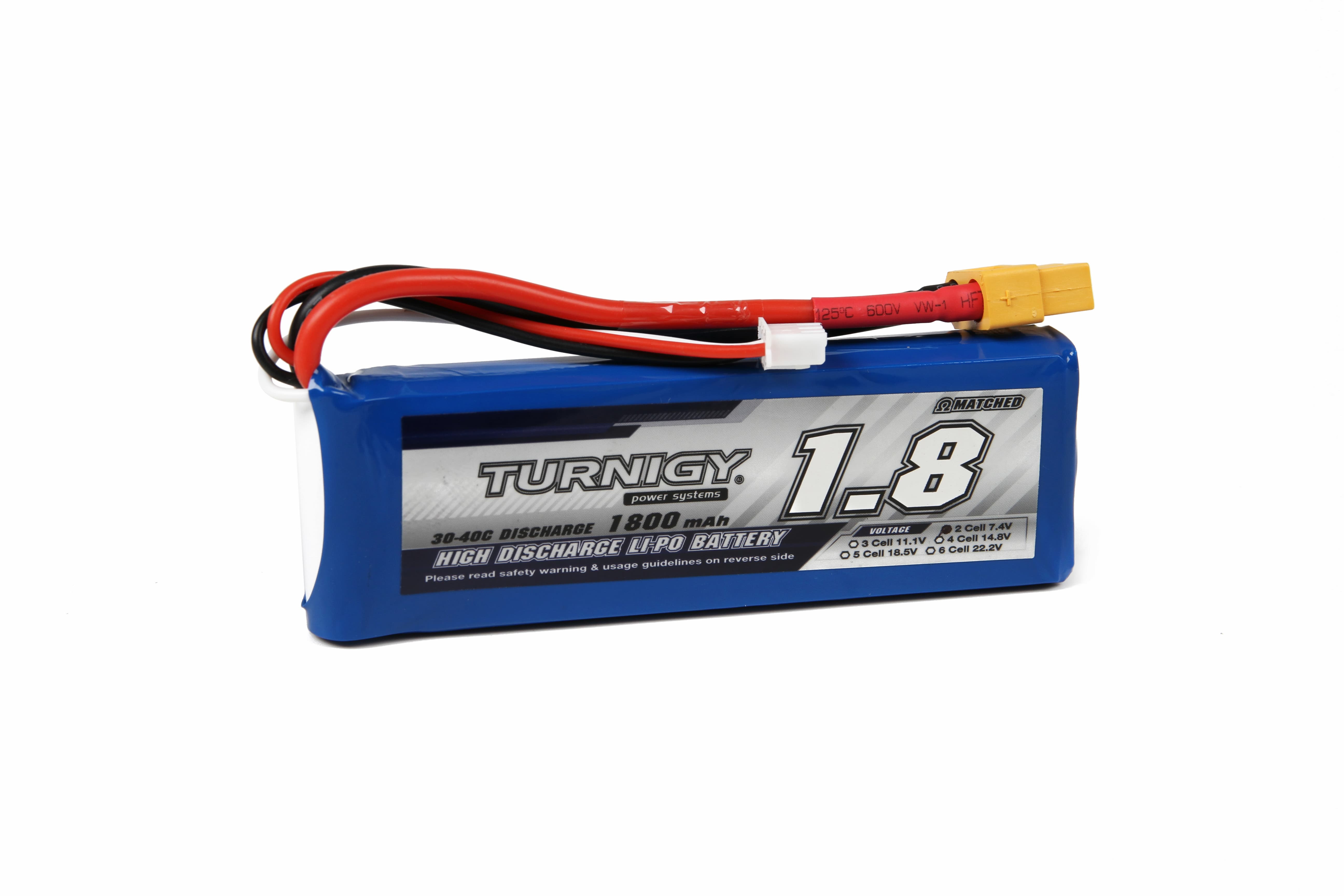
Common LiPo Charging Error Codes and Their Meanings
The following is an interpretation of several common LiPo charging error codes in the RC community, with a focus on typical cases for HobbyKing and Spektrum brand users.
2.1 Voltage Error
- Error Code: VOLT ERR, V.OUT RANGE
- Cause: The voltage of the battery cell is too high or too low, exceeding the safe voltage range allowed by the charger.
- Countermeasures: Use the “Recovery Mode” of HobbyKing's Reaktor series charger, use a voltmeter to confirm that the voltage of each battery cell is within the normal range (typically 3.2V to 4.2V). If an abnormality is detected, use a balancer to calibrate or replace the battery, and slowly activate the battery with a small current of 0.1C. If the voltage cannot be restored, stop using it immediately and replace the battery.
2.2 Balance Error
- Error Code: BALANCE ERR, CELL MISMATCH
- Cause: Poor connection of the balance connector, or excessive voltage difference between battery cells, with the voltage difference between individual cells in the battery pack exceeding 0.1V.
- Countermeasures: Replace the damaged balance board or use a HobbyKing balancer to correct individually. Enable the charger's “Balance Charge” mode and ensure the balance plug is fully inserted; we recommend using the HobbyKing M6DAC dual-port charger, which features independent balance ports for precise voltage adjustment of each cell. Regularly inspect the battery plugs and balance wires for oxidation to prevent poor contact.
- Make sure the balance plug is fully inserted and not offset by one pin.
- Open the charger’s per-cell screen and confirm whether one cell is missing, unstable, or clearly out of line.
- If the balance plug itself is cracked, loose, or physically damaged, follow this guide before assuming the pack is dead: How to Diagnose, Repair, or Replace a LiPo Balance Plug.
2.3 Over Temperature
- Error Code: TEMP HI, OVERHEAT
- Cause: The battery or charger itself is overheating, the surface temperature of the battery exceeds 50°C, or the ambient temperature exceeds 40°C, exceeding the system's set threshold.
- Countermeasures: Pause charging, move to a well-ventilated area, and resume charging once the temperature has dropped; use a charger with a cooling fan (e.g., ToolkitRC M7AC), which maintains stable temperature control even at 300W high-power output.
2.4 Connection Error (Connection Fault)
- Error Code: NO BATT, CONN ERR
- Cause: The battery is not properly connected or the plug is not making good contact.
- Solution: Reinsert the main power plug and balance plug, and check that the XT60 or EC5 connectors are not loose or damaged.
- Main connector fully seated and not heat-damaged
- Charge lead or adapter not intermittent
- Balance plug pins not loose, cracked, or backed out
If the balance plug is physically damaged, this repair guide is the best next step: Balance Lead Problems: Diagnose, Repair, or Replace a LiPo Balance Plug.
Common Errors and Troubleshooting Strategies for Spektrum Smart Batteries
Spektrum smart batteries are renowned for their integrated data tracking functionality, which offers the advantages of automatic recognition, battery ID memory, and real-time status monitoring. However, due to the complexity of the system, error codes are also more detailed. The following are the three most common types of errors:
3.1 Cell Imbalance
- Error Symptom: Charging interrupts, displaying “CELL IMBALANCE”
- Solution: Try performing multiple rounds of balancing charge; if the issue persists, discharge the battery to storage voltage before replacing it.
- Error Symptom: The Spektrum charger cannot read battery information, displaying “ID ERROR”
- Solution: The cause is typically poor contact at the data interface or damage to the main control chip. It is recommended to use HobbyKing's standard charger with manual parameter settings to bypass the ID recognition process.
- Error Symptom: Charging is not possible, displaying “BATTERY DEGRADATION”
- Solution: The internal resistance of the battery is too high, resulting in significant capacity loss. Depending on the situation, switch to low-rate charging or dispose of the battery directly.
3.2 Battery ID Failure
Battery ID failures are usually less about cell condition and more about communication. In practice, they often come from poor Smart-port contact, data-path interruptions, or charger-to-battery compatibility issues. If the pack cannot be identified consistently, check the connector fit, clean the contact area, and confirm the charger firmware and battery system are actually meant to work together.
3.3 Battery Health Warning
Battery health warnings are different from simple connection or setup errors. These messages usually point to aging, rising internal resistance, repeated high-stress use, or a pack that is no longer behaving like a healthy battery under charge. When this kind of warning keeps returning, the safer question is not “how do I force a charge,” but whether the pack still deserves normal use at all.
Here are two common Spektrum warning scenarios and what they usually mean:
- Error code SBE1: High internal resistance
- Cause: Battery aging or prolonged high-current discharge causes an increase in internal resistance.
- Solution: Use HobbyKing's iSDT SC-620 smart charger to check the battery's internal resistance. If it exceeds 20% of the manufacturer's specified value, replacement is recommended. Avoid full-power discharge in high-temperature environments to extend battery life.
- Error code SBE2: Communication failure
- Cause: Poor contact between the battery and charger data cable or firmware incompatibility.
- Solution: Clean the Smart port on the battery and use the original HobbyKing data cable; update the charger firmware to the latest version to ensure protocol compatibility.
Troubleshooting Tips for HobbyKing Chargers
HobbyKing's ToolkitRC, Turnigy, Quanum, and other charger series are highly regarded for their stability, but improper use may cause error messages. Even when using HobbyKing's high-quality chargers, it is still necessary to master basic troubleshooting methods:
4.1 Charger does not respond or cannot be turned on
- Check the power input: Check if the power adapter voltage meets the device's input requirements (e.g., AC/DC compatibility); use a known working power cord and outlet to verify the power issue.
- Check the fuse: Some models (e.g., Turnigy Reaktor T240) have built-in replaceable fuses; follow the manual for replacement instructions.
- Check whether the positive and negative terminals are connected correctly.
- Check whether the plug is burnt or loose.
- Sometimes, old batteries may have a slight risk of short circuit. We recommend replacing the battery with a new one and trying to charge it again.
4.2 Error message appears immediately after inserting the battery
If the charger throws an error immediately, do not cycle through random settings hoping one works. First confirm chemistry, then cell count, then connection quality. Most “instant” errors come from one of those three buckets.
4.3 Charging interrupted or frequent error messages
- Check connection stability: Ensure that the balance plug and main plug are fully inserted to avoid loose connections.
- Reduce charging current: If using multiple parallel chargers (such as a Quad Charger), ensure that the total power does not exceed the charger's maximum capacity.
- Check whether the charger is hitting a safety timer or capacity limit.
- Confirm the charger has enough wattage for the pack and current you selected.
- Make sure balance mode is not simply slowing down the final stage more than you expected.
If you want a refresher on correct charging settings and balance mode, start here: How to Charge LiPo Batteries Safely.
4.4 Unable to identify battery cell count
- When using 1~2S, please note that some chargers do not recognize this by default and require manual settings.
- We recommend using the HobbyKing official supported balance board interface to ensure compatibility.
4.5 Display flickering or data abnormalities
- Reset the device: Press and hold the power button for 5 seconds to restore factory settings.
- Calibrate the voltmeter: Compare readings using an external multimeter and, if necessary, use the HobbyKing calibration tool to make adjustments.
Safety Charging Recommendations, Battery Life Extension Tips, and HobbyKing Product Recommendations
In daily operation, to minimize the possibility of LiPo battery charging error codes, users should observe the following safety recommendations:
5.1 Avoid over-discharging the battery
- When the voltage of each battery cell drops below 3.0V, it becomes extremely difficult to recharge. When storing batteries, maintain a single-cell voltage of 3.8V (Storage Mode). HobbyKing chargers all support one-button storage functionality.
- It is recommended to measure the total voltage after each discharge and recharge promptly; clean the battery contacts with anhydrous alcohol monthly to prevent oxidation.
- It is generally recommended to use 1C for standard charging.
- High-frequency or high-current charging is more likely to cause errors and battery swelling.
- HobbyKing chargers are calibrated to match their own battery products, resulting in lower error rates.
- Avoid using unbranded or third-party devices with unknown compatibility.
5.2 Controlling the charging rate
5.3 Use original charging equipment from the brand you support
The fastest way to avoid a bad decision is to separate these two questions:
- If the error changes when you reconnect leads or swap adapters, suspect connection or charger-side setup first.
- If the same battery throws the same cell-related error on more than one charger, suspect the pack or balance lead.
- If the charger always stops early on larger packs but not smaller ones, suspect wattage, current, timer, or cooling limits.
HobbyKing High-Performance Equipment Recommendations
- ToolkitRC M7AC 300W Charger: Supports 1-6S batteries, 15A fast charging, ideal for professional users.
- Turnigy Accucell C150: Entry-level favorite, 150W power with LiHV compatibility, meets everyday needs.
- Quanum DC Car Charger: Essential for outdoor use, can be directly connected to a car power source for emergency charging.
Brand Recommendations
LiPo batteries are the core power source for high-performance RC devices, but due to their extremely stringent charging requirements, even the slightest anomaly can be detected through error codes. Correctly interpreting error codes and promptly troubleshooting issues are essential for extending battery life and ensuring device safety.
By thoroughly understanding the meaning of LiPo battery charging error codes, familiarizing oneself with Spektrum smart battery error codes, and mastering specific troubleshooting techniques for LiPo chargers, users can not only quickly identify issues but also effectively enhance device efficiency and safety.
For RC enthusiasts, choosing a brand like HobbyKing, which offers technical support and product coverage advantages, is the key to resolving such technical challenges. HobbyKing continuously provides high-compatibility chargers, smart batteries, and accessories to help users address various error codes with faster, more convenient, and professional solutions.
Through this guide, we hope users can confidently tackle technical challenges and fully unlock the performance potential of their RC devices. For further information on HobbyKing's range of LiPo chargers and troubleshooting guides, we recommend visiting the official website to access the latest product specifications and technical support updates.
Still Having Trouble? Start Here
| Your situation | Best next step |
|---|---|
| The charger shows a connection or balance-related error, or one cell appears missing | Read the balance lead repair and diagnosis guide |
| You are not sure whether your charge settings, current, or balance mode are correct | Read the LiPo charging safety and setup guide |
| The battery looks physically damaged, swollen, or risky after an error | Review LiPo fire-risk prevention and safe handling practices |
FAQ
No. The wording varies by brand and model, but the fault groups are usually similar: connection, battery type mismatch, cell read errors, input voltage problems, temperature, and charger-side safety limits.
Not always. It can be caused by one weak cell, but it can also come from a damaged balance lead, a poor balance-plug connection, or a wrong cell-count read. That is why checking the per-cell screen and the balance lead matters before you condemn the pack.
Repeatedly pressing Start without changing anything. That can waste time on setup issues and increase risk if the real problem is a bad balance connection or a damaged cell.
No. Early stop conditions are often caused by charger-side limits such as safety timer, capacity cutoff, insufficient wattage, poor cooling, or a weak input power source.
Category
Category
Compre os nossos melhores vendedores

HobbyKing Hall Cherokee V2 1700mm Glider PNF w/ Retractable Propeller
SKU 9310670593
$179.99
Avios Albatross HU-16 USAF Search & Rescue RC Flying Boat PNF 1620mm
SKU 9310670605
$359.99
H-King (PNF) KitFox Sport Plane 1100mm/1250mm (EPO)
SKU 9898670063
$159.36$199.99
Avios Extra NG (PNF) Semi-Scale 3D Aerobatic Airplane EPO 1600mm
SKU 9447670080
$539.99$569.00
HobbyKing Sports Hawk "ARF-Plus" Jato EDF 105mm com Retráteis, Servos e Luzes LED
SKU 9306670706
$771.36$939.99
Turnigy 3300mAh 3S (11.1V) 30C Shorty LiPo Battery Pack w/XT60
SKU 9067110010
$18.17$22.99
Turnigy APEX 1500mAh 8S 29.6V 180C LiPo Battery with XT60 for 5 inch FPV Drone and Planes
SKU 9067110083
$36.99$43.99
Turnigy APEX 1800mAh 6S 22.2V 180C LiPo Battery with XT60 for 6 inch FPV Drone and Planes
SKU 9067110086
$29.99$39.99
Turnigy APEX 2200mAh 4S 14.8V 180C LiPo Battery with XT60 for FPV Drone and Planes
SKU 9067110094
$26.32$33.99
Turnigy APEX 2000mAh 4S 14.8V 180C LiPo Battery Dual Pack with XT60 for 7 inch FPV Drone and Planes
SKU 9067110089
$49.99$58.99
XFLY F-35 64mm EDF Jet PNP
SKU 1024670398
$269.99$299.99
Turnigy 8000mAh 4S 14.8V 40C LiPo Battery w/XT90-High Endurance LiPo for RC Cars Plane Boats & Drones
SKU 9067110102
$48.99$60.99
Turnigy High Capacity 16000mAh 6S 20C Lipo Battery w/XT90 - High Endurance LiPo for RC Cars Plane Boats & Drones
SKU 9067110054
$138.99$173.99
Turnigy 42000mAh 6S 22.2V 40C LiPo Battery w/XT90-High Endurance LiPo for RC Cars Plane Boats & Drones
SKU 9067110111
$409.99$455.99